


Table of contents: Speedometer ↓ Tachometer ↓ Liquid Crystal Display ↓ Outside air temperature indicator ↓ Automatic transmission selector…↓ Stepless automatic transmission…↓ On-board computer ↓ Fuel range (DTE km) ↓ Average fuel consumption (L/100 km) ↓ Average vehicle speed (km/h) ↓ Travel time (H:MIN:S) ↓ Simultaneous reset of display…↓ Odometer ↓ Odometer/trip counter for two trips ↓ Information about motor oil ↓ Setting the engine oil change…↓ Fuel level indicator ↓ Engine coolant temperature gauge ↓
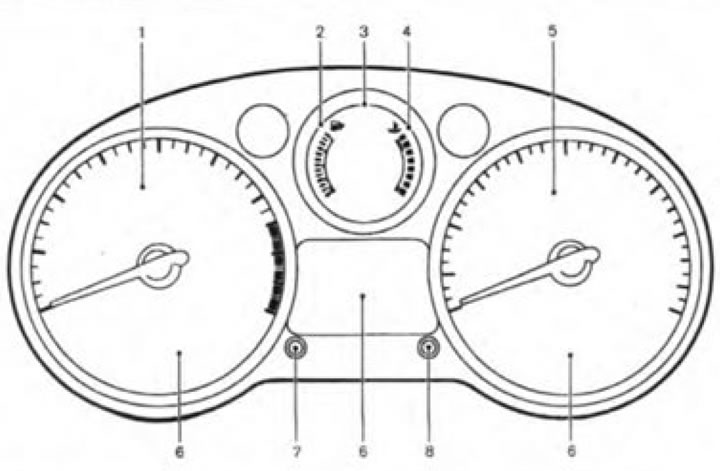
Measuring instruments and indicators: 1. Tachometer; 2. Fuel level indicator; 3. Liquid crystal display; - display of outside air temperature; - display of the position of the automatic transmission range selector lever*; - display of the position of the CVT selector lever; - display of odometer/trip counter readings for two trips; - display of on-board computer readings; - time display; - output of information about the level and need for replacement of engine oil*; 4. Engine coolant temperature gauge; 5. Speedometer; 6. Control lamps and indicators; 7. Button for setting the clock readings; 8. Trip computer display switch; *if available.
Speedometer
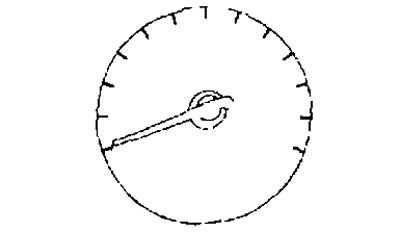
The speedometer displays the speed of the vehicle.
Tachometer
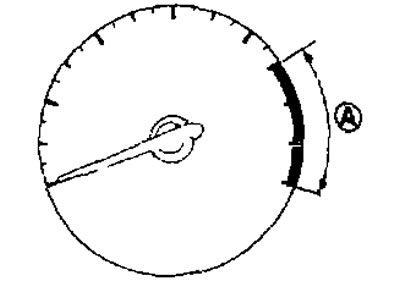
The tachometer displays the engine crankshaft speed in rpm. Do not exceed critical engine speeds when the tachometer needle moves into the red zone of the scale (A). The appearance and meaning of the red zone depend on the vehicle version.
Liquid Crystal Display
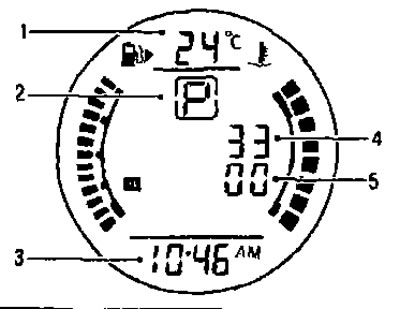
After turning on the ignition, the following information is displayed on the LCD screen:
- 1. Outside air temperature.
- 2. Position of the automatic transmission or CVT selector (for versions equipped with automatic transmission or CVT).
- 3. Time.
- 4. Odometer readings.
- 5. Odometer/trip computer readings.
- The display screen can also show information about the level and condition of the engine oil (depending on the configuration).
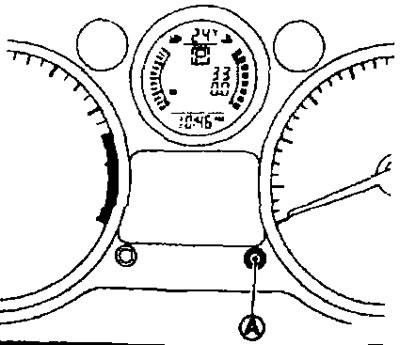
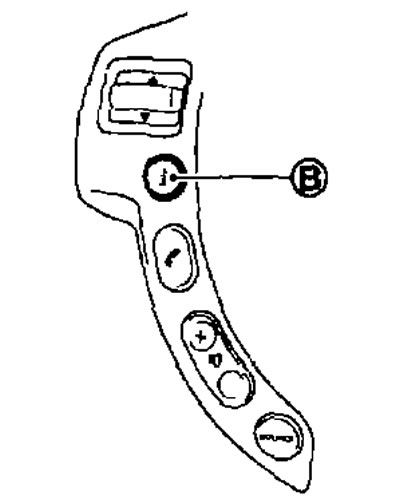
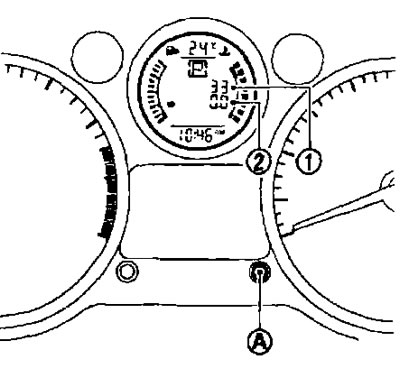
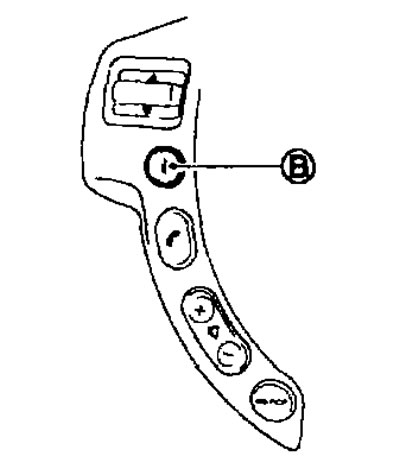
- To adjust or switch the LCD display modes, press the button (A) located on the instrument panel. If available, you can use the INFO button (B) located on the steering wheel.
Outside air temperature indicator
The displays start to flash if the outside air temperature does not exceed 3°C. The display will stop flashing after a minute, or if the temperature becomes at least 4°C.
Automatic transmission selector lever position indicator
The indicator displays the current position in the automatic transmission after turning the ignition key to the ON position.
Stepless automatic transmission (variator) selector lever position indicator (CVT)
The indicator displays the current position of the variator after turning the ignition key to the ON position.
On-board computer
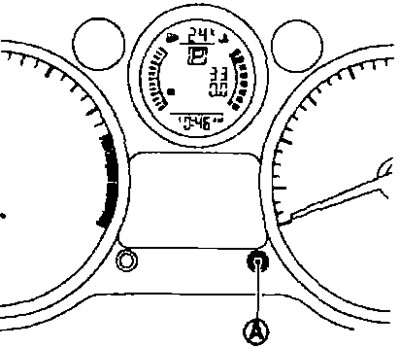
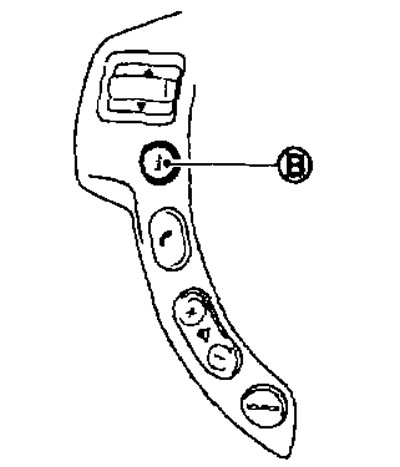
- After turning the ignition key to the ON position, you can select the operating mode by pressing the button (A) on the trip computer or the button (B) on the steering wheel (if any),
- By pressing the button (A) or (B) in sequence, the data display mode changes in the following order:
Trip A (Trip A) → Trip B (Trip B) → Distance to empty (Fuel range) → Average fuel consumption (Average fuel consumption) → Average speed (Average speed) → Elapsed time (Travel time) → Trip A (Trip A).
Fuel range (DTE km)
- The Driving Range (DTE) display shows the approximate distance you can travel on the amount of fuel remaining in the tank. The DTE value is calculated continuously based on the amount of fuel in the tank and your actual fuel consumption. The display is updated every 30 seconds.
- A low fuel warning function is provided: when there is little fuel left in the tank, the fuel range value is automatically displayed on the display, and the message symbols flash to attract the driver's attention. To return to the data display mode that was set before the warning function was activated, press the (A) or INFO (B) button(if any).
- If you do not fill the fuel tank, then as the amount of fuel continues to decrease, instead of the power reserve display, the symbols "_ _ _" will light up on the display.
If a small amount of fuel was added during refueling, the fuel range may be displayed on the display screen immediately before the ignition is turned off.
Driving on hilly or winding roads can cause the fuel in the tank to overflow, which may temporarily change the fuel range reading.
Average fuel consumption (L/100 km)
Average fuel consumption is calculated for the period since the last reset of the trip odometer. Resetting is done by pressing and holding the (A) or (NFO (B) button (if any) for more than 1 second. The readings are updated every 30 seconds. For about 500 m after reset, the display will show " _ _ _ _".
Average vehicle speed (km/h)
The average speed is calculated for the period since the last reset of the counter. The reset is performed by pressing and holding the (A) or INFO (B) button (if any) for more than 1 second. The readings are updated every 30 seconds. For the first 30 seconds after the readings are reset, the display will show " _ _ _ _".
Travel time (H:MIN:S)
Travel time is counted for the period that has passed since the last reset of the readings. The reset of the readings is carried out by pressing and holding the (A) or INFO (B) button (if any) for more than 1 second.
Simultaneous reset of display readings
To reset the display, press and hold the (A) or INFO (B) buttons (if any) for more than 3 seconds. Average fuel consumption, average speed, travel time, and trip odometer readings for one trip (only TRIP B) will be reset simultaneously.
Odometer
Odometer/trip counter for two trips
- The odometer and trip meter readings for two trips appear after turning the ignition key to the ON position.
- The odometer (1) shows the total mileage of the vehicle.
- The trip odometer shows the distance traveled for one of the two trips.
Changing the trip odometer readings
By successively pressing the mode switch button (A) or INFO (B) (if any) the data display modes change in the following order:
Trip A (TRIP A) → Trip B (TRIP B) → Trip computer data display mode (Trip computer mode) → Trip A (TRIP A).
Resetting the trip odometer
- To reset the trip meter to zero, press the (A) button or the INFO (B) button (if any) and hold it for more than 1 second.
- To reset all trip computer readings except for the trip meter A (Trip A) and fuel range, press the (A) button or the INFO (B) button (if any) and hold it for more than 3 seconds.
Information about motor oil
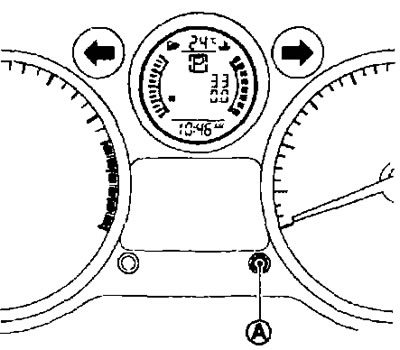
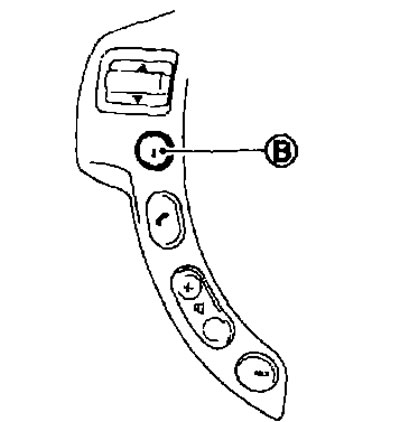
- When the ignition switch is in the ON position, the engine oil information will be displayed on the liquid crystal display in the following order → Remaining mileage until oil change (with a wrench icon) → Engine oil level ("Oil Good" or "Oil Lo").
- Press the mode switch (A) or INFO (B) button (the last one is on the steering wheel, if available) and hold it for 5 seconds until the screen displays information about the engine oil after the text "Oil Good" is displayed, detailed graphic information about the engine oil level is displayed on the screen.
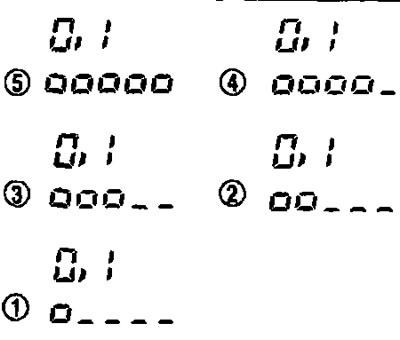
Setting the engine oil change interval
You can set the engine oil change interval or disable this option using the on-board computer mode switch button (A).
- 1. Press and hold the trip computer button (A) for more than 3 seconds while the display shows the wrench image and the mileage until the next engine oil change. When adjusting the interval from zero (0). Press and hold the trip computer button (A) for at least 3 seconds during the first 5 seconds after turning the ignition key to the ON position. The wrench image and mileage value will flash.
- 2. While the display is flashing, press the trip computer button (A) again to enter the setting mode. When setting the interval from zero (0): Press the trip computer button (A). The oil change interval value will be set to default.
- 3. Turn the regulator (A) of the trip computer clockwise or counterclockwise to increase or decrease the interval value. Each turn increases or decreases the engine oil change interval by 1000 km. If no further action is taken, the display will switch to the engine oil level display mode, confirming that the new oil change interval value has been successfully set.
Disabling the Engine Oil Change Reminder Function
- 1. Press the trip computer button (A) for more than 3 seconds while the display screen shows the wrench image and the distance to the next engine oil change.
- 2. When the display starts flashing, press the button (A) on the trip computer again to enter the adjustment mode.
Fuel level indicator
[Data posted on the website: NissanBook.ru]
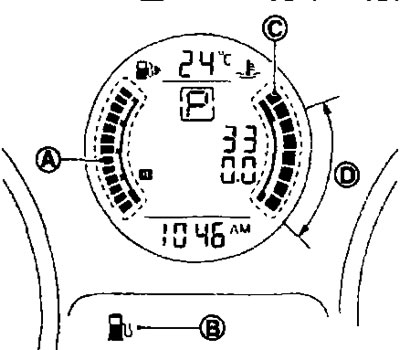
- This gauge shows the approximate fuel level in the fuel tank when the ignition is on.
- Readings may vary slightly when braking, turning corners, or driving uphill or downhill due to fuel movement inside the tank.
- The low fuel indicator lamp (B) comes on when the fuel level drops to a minimum. Fill the tank as soon as possible, without waiting for the pointer to reach position E (Empty tank).
- Icon
 indicates the location of the fuel filler door (on the right side of the car).
 - When the pointer reaches the E mark ("Empty tank"), there is still a small reserve supply of fuel left in the fuel tank.
Engine coolant temperature gauge
The gauge (C) displays the engine coolant temperature. It should be within the normal operating range (D). The engine coolant temperature depends on the ambient temperature, vehicle driving conditions and mode.