


Table of contents: Controlling 4WD system modes ↓ 4WD system malfunction indicator…↓ 4WD all-wheel drive system mode…↓ Safety precautions when driving a…↓
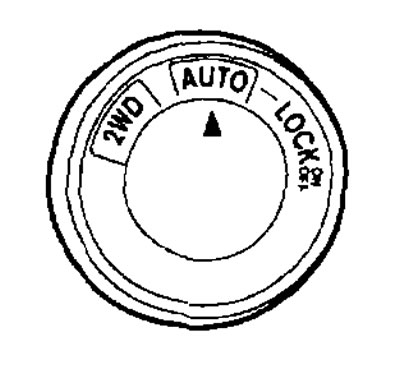
- The 4WD system allows you to select 2WD AUTO or LOCK modes depending on driving conditions.
- The 4WD system controls the connection of the drive wheels. Rotate the switch located on the center console to select modes depending on the driving conditions.
AUTO
Turn the switch to the AUTO position. After that, the corresponding indicator on the instrument panel will turn on
 indicating that the all-wheel drive system has been switched to AUTO mode.
2WD
Turn the switch clockwise to the 2WD position.
LOCK
If you turn the switch counterclockwise to the LOCK position, after releasing it, it returns to the AUTO position. The 4WD LOCK mode indicator will light on the instrument panel warning that the LOCK mode is on (differential lock). To release the LOCK mode, turn the switch counterclockwise to the LOCK position again and release it. The 4WD LOCK mode indicator will go out.
Controlling 4WD system modes
| 4WD mode | Drive wheels | 4WD system mode indicator  | Recommended conditions for using the mode |
| 2WD | When driving under normal conditions, only the front wheels are driven. *1 | Turned off | Dry roads |
| AUTO | The torque distribution between the front and rear wheels changes automatically depending on driving conditions, in a ratio from 100:00 (2WD) to 50:50 (4WD). This improves the vehicle's driving stability. | 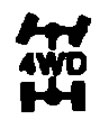 | For driving on slippery paved roads |
| LOCK | All four wheels *2,*3,*4 |  | When driving a car on uneven roads |
- 1 When the ignition is turned off, the LOCK mode is automatically disabled.
- 2 The LOCK mode automatically switches to AUTO when the vehicle accelerates or the driving speed exceeds approximately 10 km/h. The 4WD LOCK mode indicator does not go out.
- 3 The LOCK mode automatically switches to AUTO mode when the vehicle is moving at high speed. The 4WD LOCK indicator goes out.
- 4 The LOCK mode will be automatically released after the ignition key is turned to the OFF position.
(Information copied from the portal: NISSANBOOK)
Recommendations for operating the 4WD system
- When you change the 4WD system mode while turning a corner, accelerating or braking, or when you turn the ignition switch to OFF with the AUTO or LOCK mode on, you may feel a jolt, this is normal.
- The transmission fluid temperature may rise significantly if the vehicle is driven for an extended period of time under conditions where there is a significant difference in front and rear wheel speed due to wheel slippage, such as when driving on a dirt road covered with sand or mud, or when trying to free a stuck vehicle. In such cases, the 4WD indicator light flashes rapidly and 2WD mode is engaged to prevent damage to transmission components. Stop the vehicle and let the engine idle until the indicator light stops flashing and the 4WD system returns to AUTO mode.
- In 4WD mode, the braking distance of the vehicle is the same as in 2WD mode.
4WD system malfunction indicator light
- The 4WD system malfunction indicator light is located on the instrument panel.
- The 4WD system malfunction indicator light comes on after the ignition switch is turned to the ON position and goes out shortly after the engine starts. When the 4WD system malfunction indicator light comes on, the 4WD system mode indicator will go out.
- If a 4WD system malfunction occurs, or if there is a significant difference in the rotation speed or rolling radius of the front and rear wheels, the drive malfunction indicator lamp will either flash or light continuously.
| Malfunction indicator lamp | Reason for inclusion |
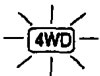 It burns constantly It burns constantly | All wheel drive system malfunction |
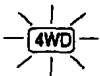 Flashes at a high frequency Flashes at a high frequency | Transfer case fluid overheating |
 Flashes at a low frequency Flashes at a low frequency | Large difference in wheel speeds |
- When the transfer case fluid overheats, the malfunction indicator lamp flashes quickly (about twice a second). Stop the car in a safe place and let the engine idle. If the indicator lamp goes out after a while, you can continue driving.
- If there is a large difference in the rotation speed of the front and rear wheels, for example when driving on sand or mud, or when freeing a stuck vehicle, the indicator lamp flashes slowly (approximately once every two seconds). Turn on 2WD mode and reduce the vehicle speed. A large difference in the diameter of the front and rear wheels will also cause the 4WD system malfunction indicator light to flash slowly. Make sure all the vehicle tires are the same size, check the tire pressure, and make sure the tires are not excessively worn or damaged.
4WD all-wheel drive system mode indicator
- These indicators (
 ) are located on the instrument panel.
 - They come on after the ignition key is turned to the ON position and should go out within one second.
- While the engine is running, the indicators indicate the operating mode of the transfer case.
- After turning on LOCK mode (differential lock) these two indicators will light up simultaneously on the instrument panel.
- Indicator
 lights up when the all-wheel drive system is in AUTO mode.
 - If the all-wheel drive system malfunction indicator lamp lights up, the indicator will go out.
Safety precautions when driving a four-wheel drive vehicle
- Your vehicle is designed for use on both normal road surfaces and off-road. However, avoid driving through deep mud and crossing deep fords.
- Remember that non-4WD vehicles are less capable of off-road driving than 4WD vehicles and are more likely to get stuck in deep snow, mud, etc.