Disassembly
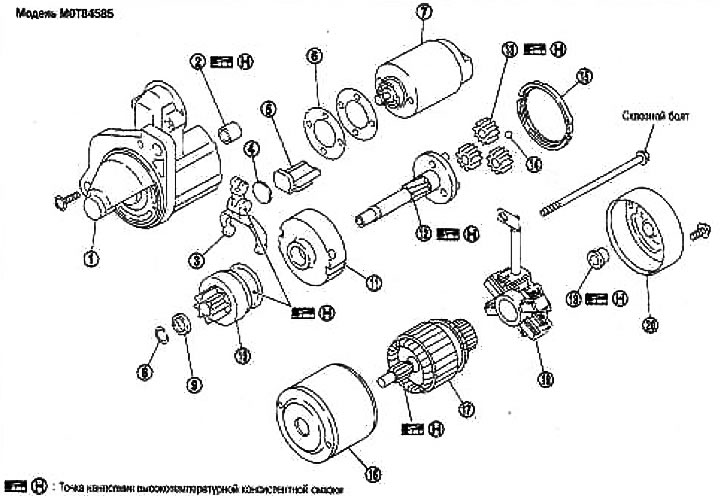
1. Gear housing; 2. Plain bearing; 3. Shift lever; 4. Plate; 5. Stuffing; 6. Adjusting washer; 7. Magnetic switch assembly; 8. Limiter clamp; 9. Gear limiter; 10. Gear assembly; 11. Internal gear; 12. Pinion shaft; 13. Planetary gear; 14. Ball; 15. Stuffing; 16. Stator; 17. Rotor; 10. Brush holder assembly; 19. Rear bearing; 20. Back cover
Through Bolt: Model M0T84585
Tightening torque: 4.1-7.1 N·m (0.45-0.72 kg·m)
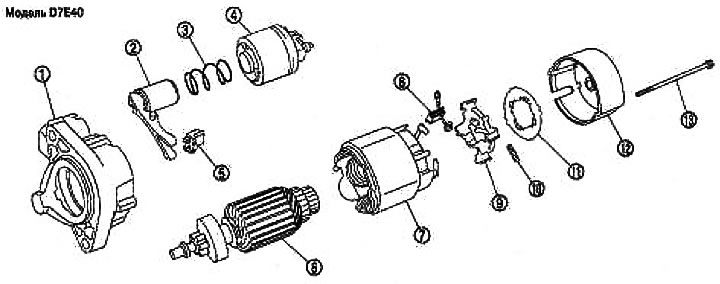
1. Gear housing; 2. Shift lever; 3. Spring; 4. Magnetic switch assembly; 5. Stuffing; 6. Rotor; 7. Stator; 8. Brush; 9. Brush holder assembly; 10. Spring; 11. Plate; 12. Back cover; 13. Through bolt
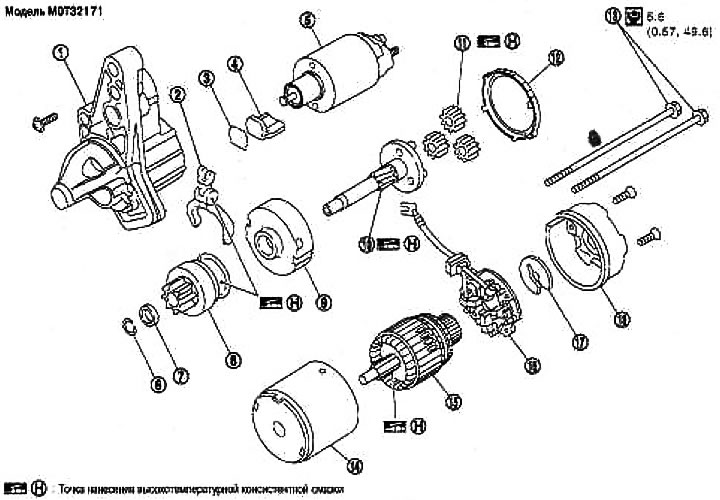
1. Gear housing; 2. Shift lever; 3. Plate; 4. Stuffing; 5. Magnetic switch assembly; 6. Ring; 7. Limiter; 8. Toothed clutch assembly; 9. Internal gear assembly; 10. Pinion shaft assembly; 11. Gear assembly; 12. Stuffing; 13. Through bolt; 14. Stator assembly; 15. Rotor; 16. Brush holder assembly; 17. E-ring; 18. Back cover assembly
Examination
Checking the electromagnetic switch
Before you begin testing, disconnect the ground cable from the battery.
Disconnect the starter terminal "M".
1. Checking the conductivity (between terminal "S" and the switch body).
If there is no conductivity, replace.
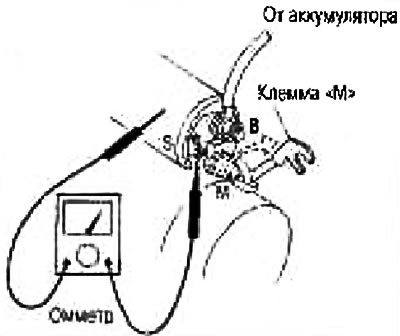
2. Checking the conductivity (between terminals "S" and "M")
If there is no conductivity, replace.
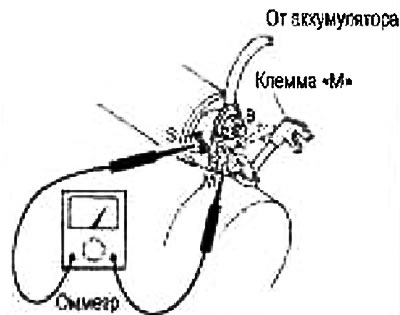
Checking the gear/clutch
1. Check the gear teeth.
Replace the gear if the teeth are worn or damaged (Also check the condition of the ring gear teeth).
2. Check the gear teeth (if provided).
Replace the gearbox if the teeth are worn or damaged (Also check the condition of the gear teeth on the rotor shaft).
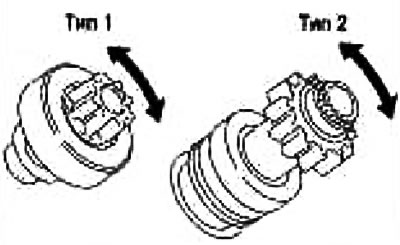
3. Make sure the starter pinion locks in one direction and rotates freely in the opposite direction.
If it locks up or rotates in both directions or feels unusually resistant, replace.
Checking the brushes
Brushes
Check if the brushes are worn out.
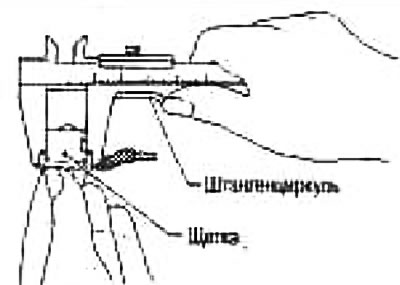
Wear Limit: See Section "Technical data and specifications".
If wear is excessive, replace.
Brush springs
Check the brush spring pressure by separating the spring from the brush.
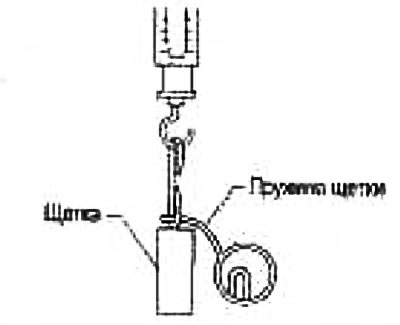
Spring pressure (with a new brush): See section "Technical data and specifications".
If the pressure is different from the norm, replace.
Brush holder
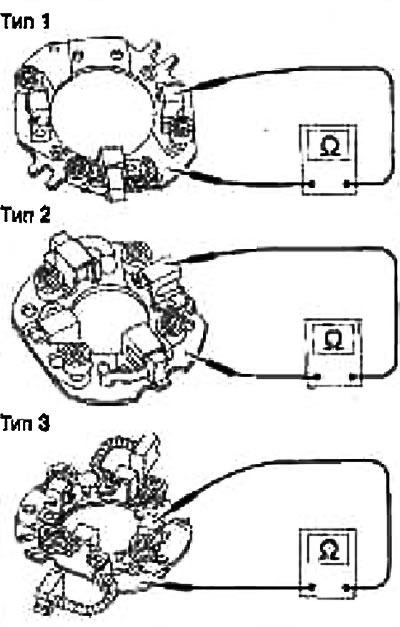
1. Perform an insulation test between the brush holder (+) and its base (-).
If there is conductivity, replace.
2. Check if the brush moves freely.
If the brush holder is bent, replace it; if the sliding surface is dirty, clean it.
Stator check
The magnet is attached to the stator with glue. Check if the magnet is attached to the stator and if there are any cracks. Replace the faulty components in the kit.
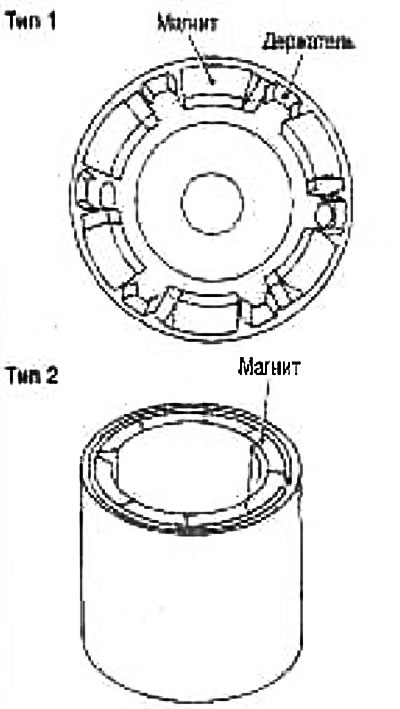
Caution: Do not clamp the stator in a vice or hit it with a hammer.
Checking the rotor
1. Conductivity test (between two adjacent segments).
If there is no conductivity, replace.
2. Insulation testing (between the commutator lamellas and the shaft).
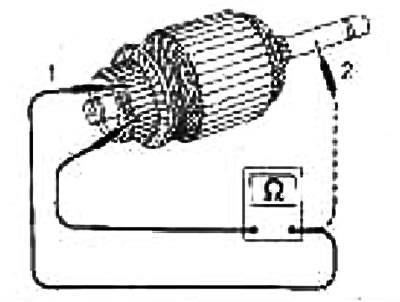
If there is conductivity, replace.
3. Check the surface of the switch.
If the surface is rough, lightly sand it with #500-600 sandpaper.
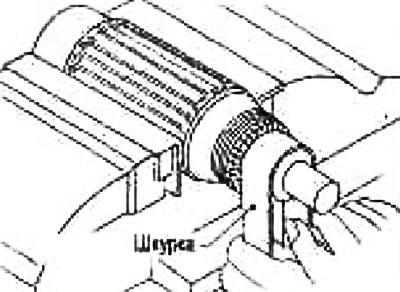
4. Check the commutator diameter (see fig.).
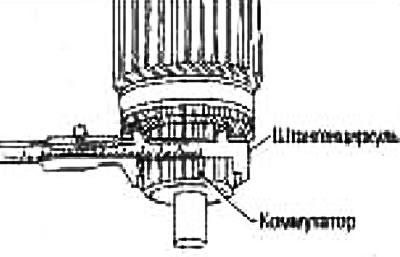
Minimum commutator diameter: See section "Technical data and specifications".
If the diameter is less than normal, replace.
5. Check the depth of the insulating mica from the surface of the commutator.
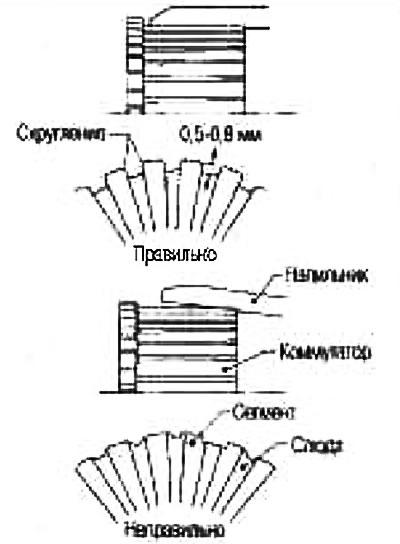
If it is less than 0.2 mm, trim it to 0.5-0.8 mm.
Assembly
When assembling the starter, apply high temperature grease to the bearing, gears and friction surfaces.
Please strictly follow these instructions:
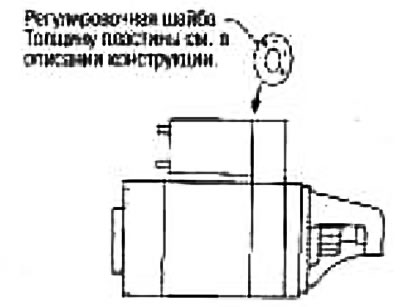
Adjusting the starter pinion protrusion
Bias
When the starter pinion is pulled back by closing the electromagnetic switch contacts, push it back by hand, eliminate the play, and measure the offset "l" between the front edge of the pinion and the pinion stop.
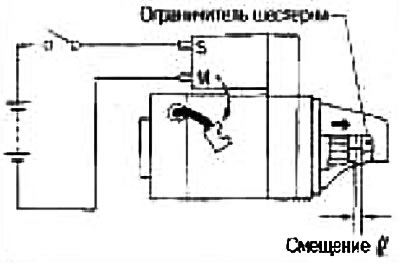
Offset "l": See section "Technical data and specifications".
If the offset is different from the norm, adjust using the adjusting washer.